QElectroTech 0.200.1-dev
Loading...
Searching...
No Matches
ImagePropertiesWidget Class Reference

The ImagePropertiesWidget class This class provides a widget to edit the properties of a DiagramImageItem. More...

#include <imagepropertieswidget.h>

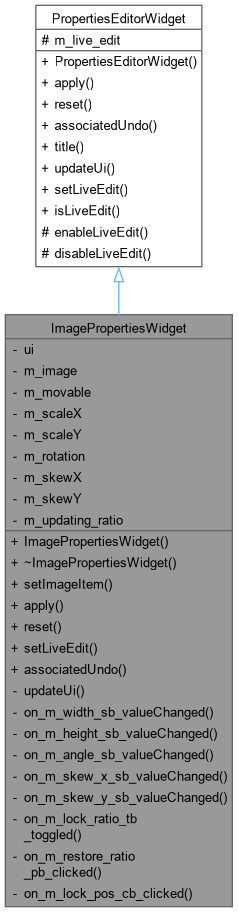
Inheritance diagram for ImagePropertiesWidget:
Inheritance graph
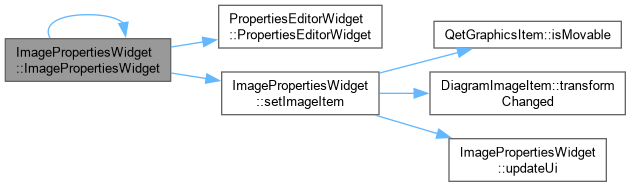
Collaboration diagram for ImagePropertiesWidget:
Collaboration graph

Public Member Functions

 ImagePropertiesWidget (DiagramImageItem *image=nullptr, QWidget *parent=nullptr)
 ImagePropertiesWidget::ImagePropertiesWidget Constructor.
 ~ImagePropertiesWidget () override
 ImagePropertiesWidget::~ImagePropertiesWidget Destructor.
void setImageItem (DiagramImageItem *image)
 ImagePropertiesWidget::setImageItem Set the image to edit properties.
void apply () override
 ImagePropertiesWidget::apply Apply the change.
void reset () override
 ImagePropertiesWidget::reset Reset the change.
bool setLiveEdit (bool live_edit) override
 ImagePropertiesWidget::setLiveEdit.
QUndoCommand * associatedUndo () const override
 ImagePropertiesWidget::associatedUndo.
Public Member Functions inherited from PropertiesEditorWidget
 PropertiesEditorWidget (QWidget *parent=nullptr)
 PropertiesEditorWidget::PropertiesEditorWidget Constructor.
virtual QString title () const
 PropertiesEditorWidget::title.
bool isLiveEdit () const
 PropertiesEditorWidget::isLiveEdit.

Private Slots

void on_m_width_sb_valueChanged (double value)
 ImagePropertiesWidget::on_m_width_sb_valueChanged Applies the new width live, and – if "Conserver les proportions" is checked – scales height by the same ratio this change just applied to width, so the two stay locked together. Guarded by m_updating_ratio: the setValue() call below would otherwise re-trigger on_m_height_sb_valueChanged(), which would then try to scale width again in response, recursing indefinitely.
void on_m_height_sb_valueChanged (double value)
 ImagePropertiesWidget::on_m_height_sb_valueChanged Mirror of on_m_width_sb_valueChanged() – see its comment.
void on_m_angle_sb_valueChanged (double value)
 ImagePropertiesWidget::on_m_angle_sb_valueChanged.
void on_m_skew_x_sb_valueChanged (double value)
 ImagePropertiesWidget::on_m_skew_x_sb_valueChanged.
void on_m_skew_y_sb_valueChanged (double value)
 ImagePropertiesWidget::on_m_skew_y_sb_valueChanged.
void on_m_lock_ratio_tb_toggled (bool checked)
 ImagePropertiesWidget::on_m_lock_ratio_tb_toggled Keeps the button's own icon and tooltip in sync with its checked state – Qt shows the checked/unchecked state visually (a sunken look) regardless, but the lock/unlock glyph makes the meaning obvious at a glance rather than needing that convention noticed.
void on_m_restore_ratio_pb_clicked ()
 ImagePropertiesWidget::on_m_restore_ratio_pb_clicked The same action as the item's own "Restaurer les proportions" context-menu entry, offered here too since this dialog is exactly where someone would notice the proportions are off in the first place. Deliberately bypasses on_m_height_sb_valueChanged()'s own lock-following logic (guarded by m_updating_ratio, then applied directly rather than through the spinbox's own signal) rather than going through it normally: if the lock happened to be engaged, that logic would treat this as an ordinary edit and scale width by the same ratio the height change just applied – compounding into some other, unrelated value instead of the plain "make height match width" this button promises regardless of lock state.
void on_m_lock_pos_cb_clicked ()
 ImagePropertiesWidget::on_m_lock_pos_cb_clicked Set movable or not the image according to corresponding check box.

Private Member Functions

void updateUi () override
 ImagePropertiesWidget::updateUi Udpdate the ui, notably when the image to edit change.

Private Attributes

Ui::ImagePropertiesWidget * ui
DiagramImageItemm_image
bool m_movable
qreal m_scaleX
qreal m_scaleY
qreal m_rotation
qreal m_skewX
qreal m_skewY
bool m_updating_ratio = false

Additional Inherited Members

Protected Member Functions inherited from PropertiesEditorWidget
virtual void enableLiveEdit ()
virtual void disableLiveEdit ()
Protected Attributes inherited from PropertiesEditorWidget
bool m_live_edit

Detailed Description

The ImagePropertiesWidget class This class provides a widget to edit the properties of a DiagramImageItem.

Constructor & Destructor Documentation

◆ ImagePropertiesWidget()

ImagePropertiesWidget::ImagePropertiesWidget ( DiagramImageItem * image = nullptr,
QWidget * parent = nullptr )
explicit

ImagePropertiesWidget::ImagePropertiesWidget Constructor.

Parameters
image: image to edit properties
parent: parent widget
Here is the call graph for this function:
Here is the caller graph for this function:

◆ ~ImagePropertiesWidget()

ImagePropertiesWidget::~ImagePropertiesWidget ( )
override

Member Function Documentation

◆ apply()

void ImagePropertiesWidget::apply ( )
overridevirtual

ImagePropertiesWidget::apply Apply the change.

Reimplemented from PropertiesEditorWidget.

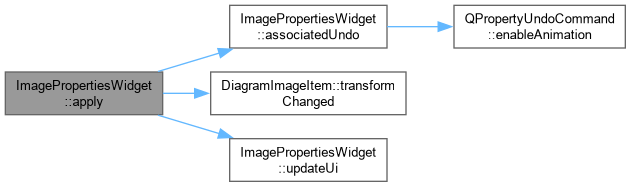
Here is the call graph for this function:
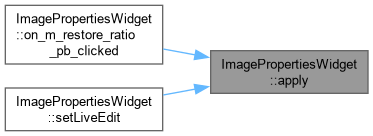
Here is the caller graph for this function:

◆ associatedUndo()

QUndoCommand * ImagePropertiesWidget::associatedUndo ( ) const
overridevirtual

ImagePropertiesWidget::associatedUndo.

Returns
the change in an undo command. If there is no change return nullptr. Chains scaleFactorX, scaleFactorY, rotationAngle, skewX and skewY as separate QPropertyUndoCommands, matching the established "check each field, chain if changed" pattern used elsewhere – each of these is genuinely independent (the resize/rotate/skew handles can set any of them without touching the others), so a single combined command wouldn't correctly capture "only two of five fields actually changed".

Reimplemented from PropertiesEditorWidget.

Here is the call graph for this function:
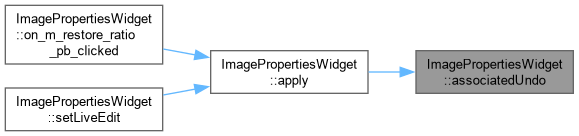
Here is the caller graph for this function:

◆ on_m_angle_sb_valueChanged

void ImagePropertiesWidget::on_m_angle_sb_valueChanged ( double value)
privateslot

ImagePropertiesWidget::on_m_angle_sb_valueChanged.

Parameters
valuethe new rotation, in degrees

◆ on_m_height_sb_valueChanged

void ImagePropertiesWidget::on_m_height_sb_valueChanged ( double value)
privateslot

ImagePropertiesWidget::on_m_height_sb_valueChanged Mirror of on_m_width_sb_valueChanged() – see its comment.

Parameters
valuethe new height, as a percentage
Here is the call graph for this function:

◆ on_m_lock_pos_cb_clicked

void ImagePropertiesWidget::on_m_lock_pos_cb_clicked ( )
privateslot

ImagePropertiesWidget::on_m_lock_pos_cb_clicked Set movable or not the image according to corresponding check box.

◆ on_m_lock_ratio_tb_toggled

void ImagePropertiesWidget::on_m_lock_ratio_tb_toggled ( bool checked)
privateslot

ImagePropertiesWidget::on_m_lock_ratio_tb_toggled Keeps the button's own icon and tooltip in sync with its checked state – Qt shows the checked/unchecked state visually (a sunken look) regardless, but the lock/unlock glyph makes the meaning obvious at a glance rather than needing that convention noticed.

Parameters
checked

◆ on_m_restore_ratio_pb_clicked

void ImagePropertiesWidget::on_m_restore_ratio_pb_clicked ( )
privateslot

ImagePropertiesWidget::on_m_restore_ratio_pb_clicked The same action as the item's own "Restaurer les proportions" context-menu entry, offered here too since this dialog is exactly where someone would notice the proportions are off in the first place. Deliberately bypasses on_m_height_sb_valueChanged()'s own lock-following logic (guarded by m_updating_ratio, then applied directly rather than through the spinbox's own signal) rather than going through it normally: if the lock happened to be engaged, that logic would treat this as an ordinary edit and scale width by the same ratio the height change just applied – compounding into some other, unrelated value instead of the plain "make height match width" this button promises regardless of lock state.

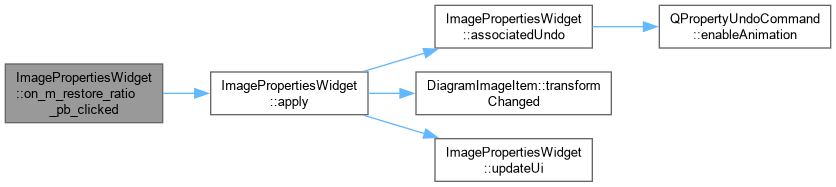
Here is the call graph for this function:

◆ on_m_skew_x_sb_valueChanged

void ImagePropertiesWidget::on_m_skew_x_sb_valueChanged ( double value)
privateslot

ImagePropertiesWidget::on_m_skew_x_sb_valueChanged.

Parameters
valuethe new X skew, in degrees

◆ on_m_skew_y_sb_valueChanged

void ImagePropertiesWidget::on_m_skew_y_sb_valueChanged ( double value)
privateslot

ImagePropertiesWidget::on_m_skew_y_sb_valueChanged.

Parameters
valuethe new Y skew, in degrees

◆ on_m_width_sb_valueChanged

void ImagePropertiesWidget::on_m_width_sb_valueChanged ( double value)
privateslot

ImagePropertiesWidget::on_m_width_sb_valueChanged Applies the new width live, and – if "Conserver les proportions" is checked – scales height by the same ratio this change just applied to width, so the two stay locked together. Guarded by m_updating_ratio: the setValue() call below would otherwise re-trigger on_m_height_sb_valueChanged(), which would then try to scale width again in response, recursing indefinitely.

Parameters
valuethe new width, as a percentage
Here is the call graph for this function:

◆ reset()

void ImagePropertiesWidget::reset ( )
overridevirtual

ImagePropertiesWidget::reset Reset the change.

Reimplemented from PropertiesEditorWidget.

Here is the call graph for this function:

◆ setImageItem()

void ImagePropertiesWidget::setImageItem ( DiagramImageItem * image)

ImagePropertiesWidget::setImageItem Set the image to edit properties.

Parameters
image: image to edit
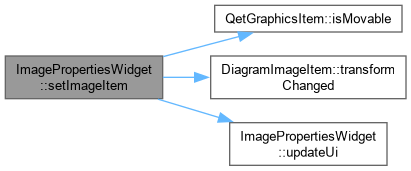
Here is the call graph for this function:
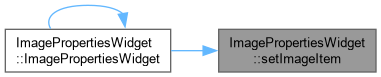
Here is the caller graph for this function:

◆ setLiveEdit()

bool ImagePropertiesWidget::setLiveEdit ( bool live_edit)
overridevirtual

ImagePropertiesWidget::setLiveEdit.

Parameters
live_edittrue -> enable live edit false -> disable live edit
Returns
always true

Reimplemented from PropertiesEditorWidget.

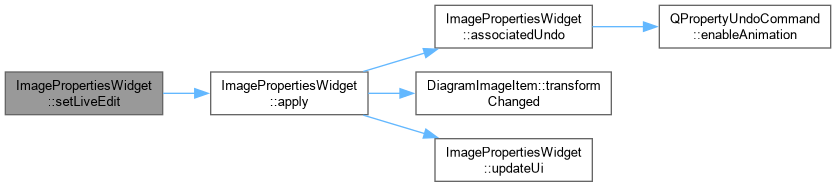
Here is the call graph for this function:

◆ updateUi()

void ImagePropertiesWidget::updateUi ( )
overrideprivatevirtual

ImagePropertiesWidget::updateUi Udpdate the ui, notably when the image to edit change.

Reimplemented from PropertiesEditorWidget.

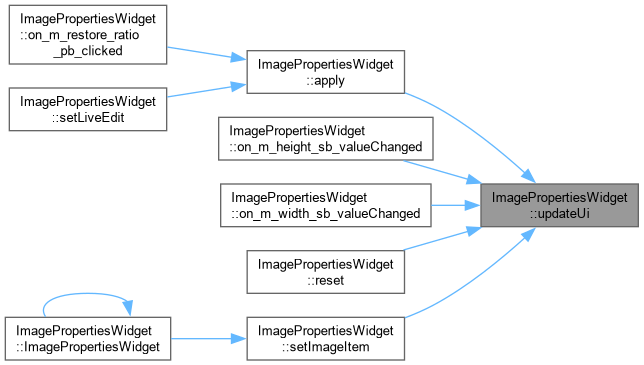
Here is the caller graph for this function:

Member Data Documentation

◆ m_image

DiagramImageItem* ImagePropertiesWidget::m_image
private

◆ m_movable

bool ImagePropertiesWidget::m_movable
private

◆ m_rotation

qreal ImagePropertiesWidget::m_rotation
private

◆ m_scaleX

qreal ImagePropertiesWidget::m_scaleX
private

◆ m_scaleY

qreal ImagePropertiesWidget::m_scaleY
private

◆ m_skewX

qreal ImagePropertiesWidget::m_skewX
private

◆ m_skewY

qreal ImagePropertiesWidget::m_skewY
private

◆ m_updating_ratio

bool ImagePropertiesWidget::m_updating_ratio = false
private

◆ ui

Ui::ImagePropertiesWidget* ImagePropertiesWidget::ui
private

The documentation for this class was generated from the following files: