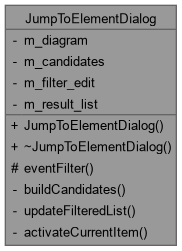
The JumpToElementDialog class A lightweight, transient "quick open" popup: type part of an element's label or other information to live-filter the elements on a diagram, then Enter to select the chosen element on the diagram and scroll it into view. Up/Down move through the filtered list, Escape cancels without changing the current selection.
More...
#include <jumptoelementdialog.h>
Inherits QDialog.
|
| bool | eventFilter (QObject *watched, QEvent *event) override |
| | JumpToElementDialog::eventFilter Redirect Up/Down/Enter/Escape typed in the filter field to the result list, so the user never has to leave the text field to navigate or confirm a choice.
|
The JumpToElementDialog class A lightweight, transient "quick open" popup: type part of an element's label or other information to live-filter the elements on a diagram, then Enter to select the chosen element on the diagram and scroll it into view. Up/Down move through the filtered list, Escape cancels without changing the current selection.
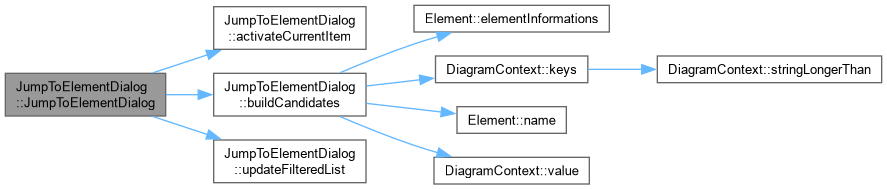
◆ JumpToElementDialog()
| JumpToElementDialog::JumpToElementDialog |
( |
Diagram * | diagram, |
|
|
QWidget * | parent = nullptr ) |
|
explicit |
◆ ~JumpToElementDialog()
| JumpToElementDialog::~JumpToElementDialog |
( |
| ) |
|
|
override |
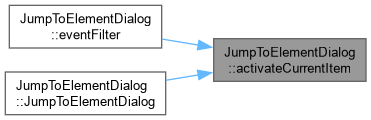
◆ activateCurrentItem
| void JumpToElementDialog::activateCurrentItem |
( |
| ) |
|
|
privateslot |
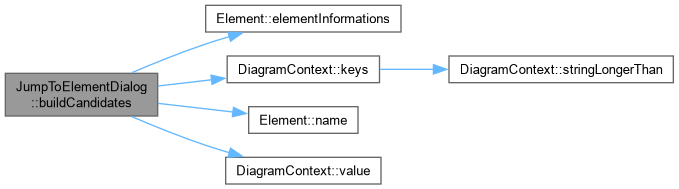
◆ buildCandidates()
| void JumpToElementDialog::buildCandidates |
( |
| ) |
|
|
private |
JumpToElementDialog::buildCandidates Collect every element on m_diagram into m_candidates, along with the searchable text used to filter it (its type name, its label, and its other element informations).
◆ eventFilter()
| bool JumpToElementDialog::eventFilter |
( |
QObject * | watched, |
|
|
QEvent * | event ) |
|
overrideprotected |
JumpToElementDialog::eventFilter Redirect Up/Down/Enter/Escape typed in the filter field to the result list, so the user never has to leave the text field to navigate or confirm a choice.
◆ updateFilteredList
| void JumpToElementDialog::updateFilteredList |
( |
const QString & | filter_text | ) |
|
|
privateslot |
◆ m_candidates
| QList<Candidate> JumpToElementDialog::m_candidates |
|
private |
◆ m_diagram
| QPointer<Diagram> JumpToElementDialog::m_diagram |
|
private |
◆ m_filter_edit
| QLineEdit* JumpToElementDialog::m_filter_edit |
|
private |
◆ m_result_list
| QListWidget* JumpToElementDialog::m_result_list |
|
private |
The documentation for this class was generated from the following files:




 1.15.0