QElectroTech 0.200.1-dev
Loading...
Searching...
No Matches
ElementPropertiesEditorWidget Class Reference

The ElementPropertiesEditorWidget class This class provide a dialog for edit various property of element, like the type (master, slave, report etc....) and kind info. More...

#include <elementpropertieseditorwidget.h>

Inherits QDialog.

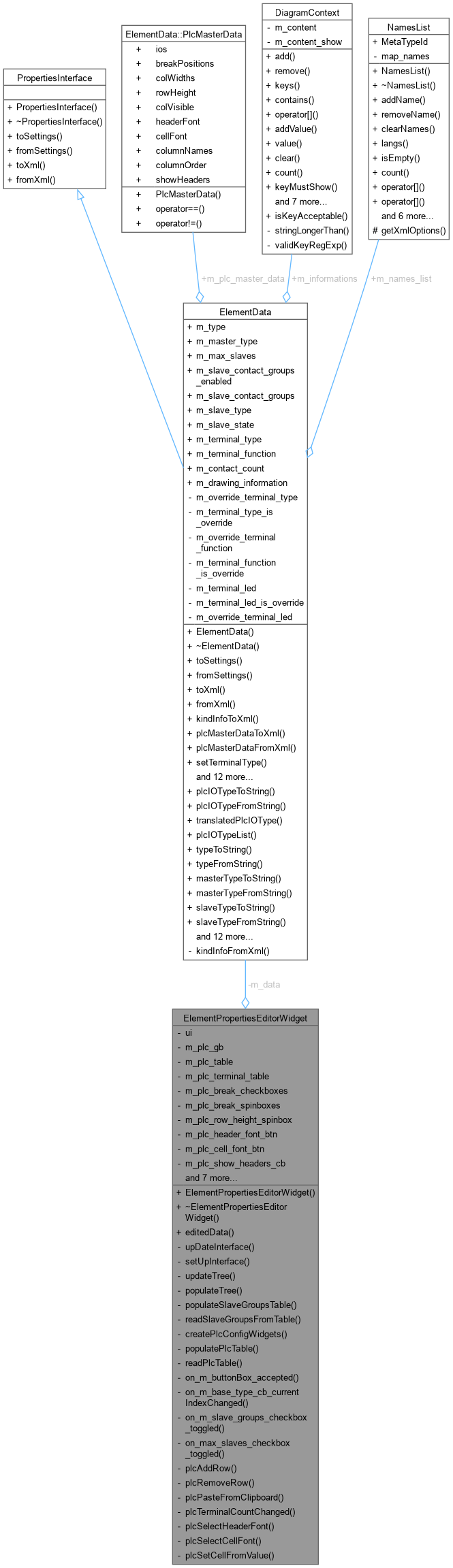
Collaboration diagram for ElementPropertiesEditorWidget:
Collaboration graph

Public Member Functions

 ElementPropertiesEditorWidget (ElementData data, QWidget *parent=nullptr)
 ElementPropertiesEditorWidget::ElementPropertiesEditorWidget.
 ~ElementPropertiesEditorWidget () override
 ElementPropertiesEditorWidget::~ElementPropertiesEditorWidget Default destructor.
ElementData editedData ()

Private Slots

void on_m_buttonBox_accepted ()
 ElementPropertiesEditorWidget::on_m_buttonBox_accepted Action on button accepted : the new information is set.
void on_m_base_type_cb_currentIndexChanged (int index)
 ElementPropertiesEditorWidget::on_m_base_type_cb_currentIndexChanged.
void on_m_slave_groups_checkbox_toggled (bool checked)
 ElementPropertiesEditorWidget::on_m_slave_groups_checkbox_toggled When slave groups checkbox is toggled, enable/disable the table Also ensure max_slaves checkbox is checked when enabling groups.
void on_max_slaves_checkbox_toggled (bool checked)
 ElementPropertiesEditorWidget::on_max_slaves_checkbox_toggled When max_slaves checkbox is unchecked, also uncheck slave groups checkbox.
void plcAddRow ()
 ElementPropertiesEditorWidget::plcAddRow Add a new empty row to the PLC IO table.
void plcRemoveRow ()
 ElementPropertiesEditorWidget::plcRemoveRow Remove selected rows from the PLC IO table.
void plcPasteFromClipboard ()
 ElementPropertiesEditorWidget::plcPasteFromClipboard Paste IO data from clipboard (tab-separated, e.g. from Excel).
void plcTerminalCountChanged (int row, int count)
 ElementPropertiesEditorWidget::plcTerminalCountChanged Enable/disable T1-T4 cells and grow columns based on terminal count spinner for a row.
void plcSelectHeaderFont ()
 ElementPropertiesEditorWidget::plcSelectHeaderFont Open font dialog to select column header font.
void plcSelectCellFont ()
 ElementPropertiesEditorWidget::plcSelectCellFont Open font dialog to select cell text font.
void plcSetCellFromValue (int row, int col, const QString &val)
 ElementPropertiesEditorWidget::plcSetCellFromValue Set a single table cell value, respecting the column widget type.

Private Member Functions

void upDateInterface ()
 ElementPropertiesEditorWidget::upDateInterface Update the interface with the current value.
void setUpInterface ()
 ElementPropertiesEditorWidget::setUpInterface.
void updateTree ()
void populateTree ()
 ElementPropertiesEditorWidget::populateTree Create QTreeWidgetItem of the tree widget and populate it.
void populateSlaveGroupsTable ()
 ElementPropertiesEditorWidget::populateSlaveGroupsTable Fill the slave contact groups table from m_data.
void readSlaveGroupsFromTable ()
 ElementPropertiesEditorWidget::readSlaveGroupsFromTable Read the slave contact groups from the table back into m_data.
void createPlcConfigWidgets ()
 ElementPropertiesEditorWidget::createPlcConfigWidgets Create the PLC configuration widgets programmatically and add them to m_master_gb.
void populatePlcTable ()
 ElementPropertiesEditorWidget::populatePlcTable Fill the PLC table from m_data.
void readPlcTable ()
 ElementPropertiesEditorWidget::readPlcTable Read the PLC data from the table back into m_data.

Private Attributes

Ui::ElementPropertiesEditorWidget * ui
ElementData m_data
QGroupBox * m_plc_gb = nullptr
QTableWidget * m_plc_table = nullptr
QTableWidget * m_plc_terminal_table = nullptr
QCheckBox * m_plc_break_checkboxes [4] = {nullptr, nullptr, nullptr, nullptr}
QSpinBox * m_plc_break_spinboxes [4] = {nullptr, nullptr, nullptr, nullptr}
QSpinBox * m_plc_row_height_spinbox = nullptr
QPushButton * m_plc_header_font_btn = nullptr
QPushButton * m_plc_cell_font_btn = nullptr
QCheckBox * m_plc_show_headers_cb = nullptr
QFont m_plc_header_font
QFont m_plc_cell_font
QList< QCheckBox * > m_plc_col_visibility_checkboxes
QList< QSpinBox * > m_plc_col_width_spinboxes
QList< QLineEdit * > m_plc_col_name_edits
QScrollBar * m_plc_shared_scrollbar = nullptr
bool m_plc_scroll_sync = false

Detailed Description

The ElementPropertiesEditorWidget class This class provide a dialog for edit various property of element, like the type (master, slave, report etc....) and kind info.

Constructor & Destructor Documentation

◆ ElementPropertiesEditorWidget()

ElementPropertiesEditorWidget::ElementPropertiesEditorWidget ( ElementData data,
QWidget * parent = nullptr )
explicit

ElementPropertiesEditorWidget::ElementPropertiesEditorWidget.

Parameters
data
parent
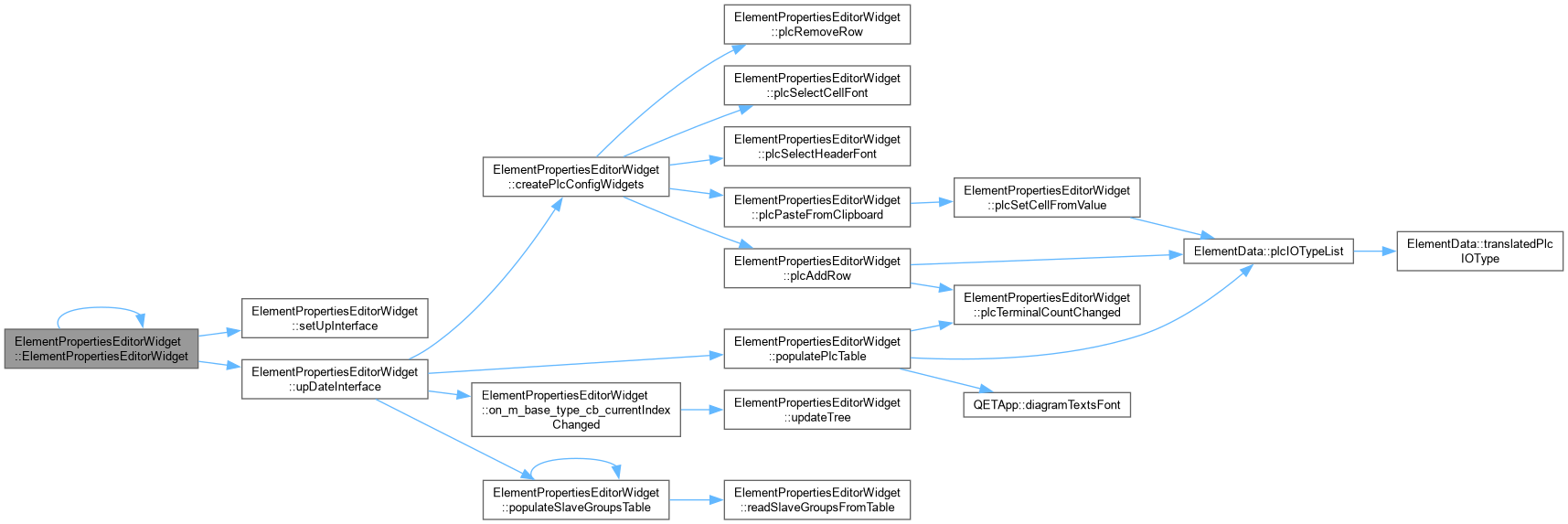
Here is the call graph for this function:
Here is the caller graph for this function:

◆ ~ElementPropertiesEditorWidget()

ElementPropertiesEditorWidget::~ElementPropertiesEditorWidget ( )
override

Member Function Documentation

◆ createPlcConfigWidgets()

void ElementPropertiesEditorWidget::createPlcConfigWidgets ( )
private

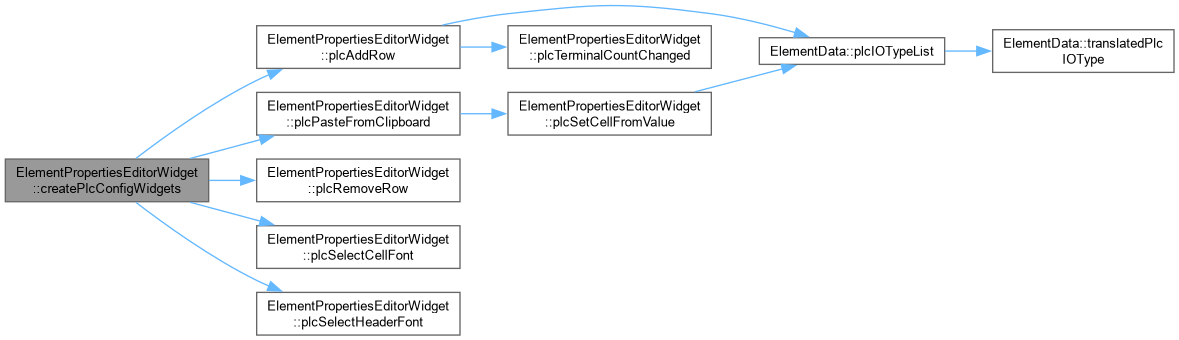
ElementPropertiesEditorWidget::createPlcConfigWidgets Create the PLC configuration widgets programmatically and add them to m_master_gb.

Here is the call graph for this function:
Here is the caller graph for this function:

◆ editedData()

ElementData ElementPropertiesEditorWidget::editedData ( )
inline
Here is the caller graph for this function:

◆ on_m_base_type_cb_currentIndexChanged

void ElementPropertiesEditorWidget::on_m_base_type_cb_currentIndexChanged ( int index)
privateslot

ElementPropertiesEditorWidget::on_m_base_type_cb_currentIndexChanged.

Parameters
index: Action when combo-box base type index change
Here is the call graph for this function:
Here is the caller graph for this function:

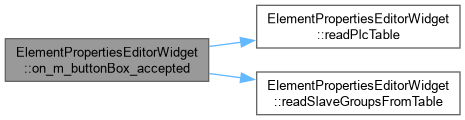
◆ on_m_buttonBox_accepted

void ElementPropertiesEditorWidget::on_m_buttonBox_accepted ( )
privateslot

ElementPropertiesEditorWidget::on_m_buttonBox_accepted Action on button accepted : the new information is set.

Here is the call graph for this function:

◆ on_m_slave_groups_checkbox_toggled

void ElementPropertiesEditorWidget::on_m_slave_groups_checkbox_toggled ( bool checked)
privateslot

ElementPropertiesEditorWidget::on_m_slave_groups_checkbox_toggled When slave groups checkbox is toggled, enable/disable the table Also ensure max_slaves checkbox is checked when enabling groups.

Here is the call graph for this function:

◆ on_max_slaves_checkbox_toggled

void ElementPropertiesEditorWidget::on_max_slaves_checkbox_toggled ( bool checked)
privateslot

ElementPropertiesEditorWidget::on_max_slaves_checkbox_toggled When max_slaves checkbox is unchecked, also uncheck slave groups checkbox.

◆ plcAddRow

void ElementPropertiesEditorWidget::plcAddRow ( )
privateslot

ElementPropertiesEditorWidget::plcAddRow Add a new empty row to the PLC IO table.

Here is the call graph for this function:
Here is the caller graph for this function:

◆ plcPasteFromClipboard

void ElementPropertiesEditorWidget::plcPasteFromClipboard ( )
privateslot

ElementPropertiesEditorWidget::plcPasteFromClipboard Paste IO data from clipboard (tab-separated, e.g. from Excel).

Here is the call graph for this function:
Here is the caller graph for this function:

◆ plcRemoveRow

void ElementPropertiesEditorWidget::plcRemoveRow ( )
privateslot

ElementPropertiesEditorWidget::plcRemoveRow Remove selected rows from the PLC IO table.

Here is the caller graph for this function:

◆ plcSelectCellFont

void ElementPropertiesEditorWidget::plcSelectCellFont ( )
privateslot

ElementPropertiesEditorWidget::plcSelectCellFont Open font dialog to select cell text font.

Here is the caller graph for this function:

◆ plcSelectHeaderFont

void ElementPropertiesEditorWidget::plcSelectHeaderFont ( )
privateslot

ElementPropertiesEditorWidget::plcSelectHeaderFont Open font dialog to select column header font.

Here is the caller graph for this function:

◆ plcSetCellFromValue

void ElementPropertiesEditorWidget::plcSetCellFromValue ( int row,
int col,
const QString & val )
privateslot

ElementPropertiesEditorWidget::plcSetCellFromValue Set a single table cell value, respecting the column widget type.

Here is the call graph for this function:
Here is the caller graph for this function:

◆ plcTerminalCountChanged

void ElementPropertiesEditorWidget::plcTerminalCountChanged ( int row,
int count )
privateslot

ElementPropertiesEditorWidget::plcTerminalCountChanged Enable/disable T1-T4 cells and grow columns based on terminal count spinner for a row.

Here is the caller graph for this function:

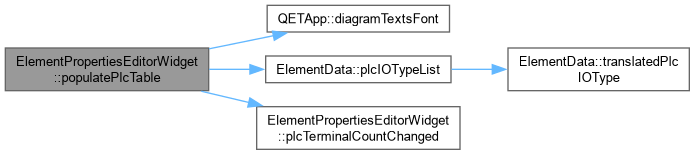
◆ populatePlcTable()

void ElementPropertiesEditorWidget::populatePlcTable ( )
private

ElementPropertiesEditorWidget::populatePlcTable Fill the PLC table from m_data.

Here is the call graph for this function:
Here is the caller graph for this function:

◆ populateSlaveGroupsTable()

void ElementPropertiesEditorWidget::populateSlaveGroupsTable ( )
private

ElementPropertiesEditorWidget::populateSlaveGroupsTable Fill the slave contact groups table from m_data.

Here is the call graph for this function:
Here is the caller graph for this function:

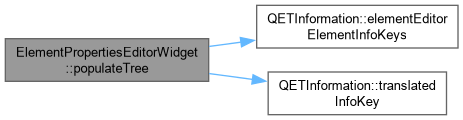
◆ populateTree()

void ElementPropertiesEditorWidget::populateTree ( )
private

ElementPropertiesEditorWidget::populateTree Create QTreeWidgetItem of the tree widget and populate it.

Here is the call graph for this function:

◆ readPlcTable()

void ElementPropertiesEditorWidget::readPlcTable ( )
private

ElementPropertiesEditorWidget::readPlcTable Read the PLC data from the table back into m_data.

Here is the caller graph for this function:

◆ readSlaveGroupsFromTable()

void ElementPropertiesEditorWidget::readSlaveGroupsFromTable ( )
private

ElementPropertiesEditorWidget::readSlaveGroupsFromTable Read the slave contact groups from the table back into m_data.

Here is the caller graph for this function:

◆ setUpInterface()

void ElementPropertiesEditorWidget::setUpInterface ( )
private

ElementPropertiesEditorWidget::setUpInterface.

Here is the caller graph for this function:

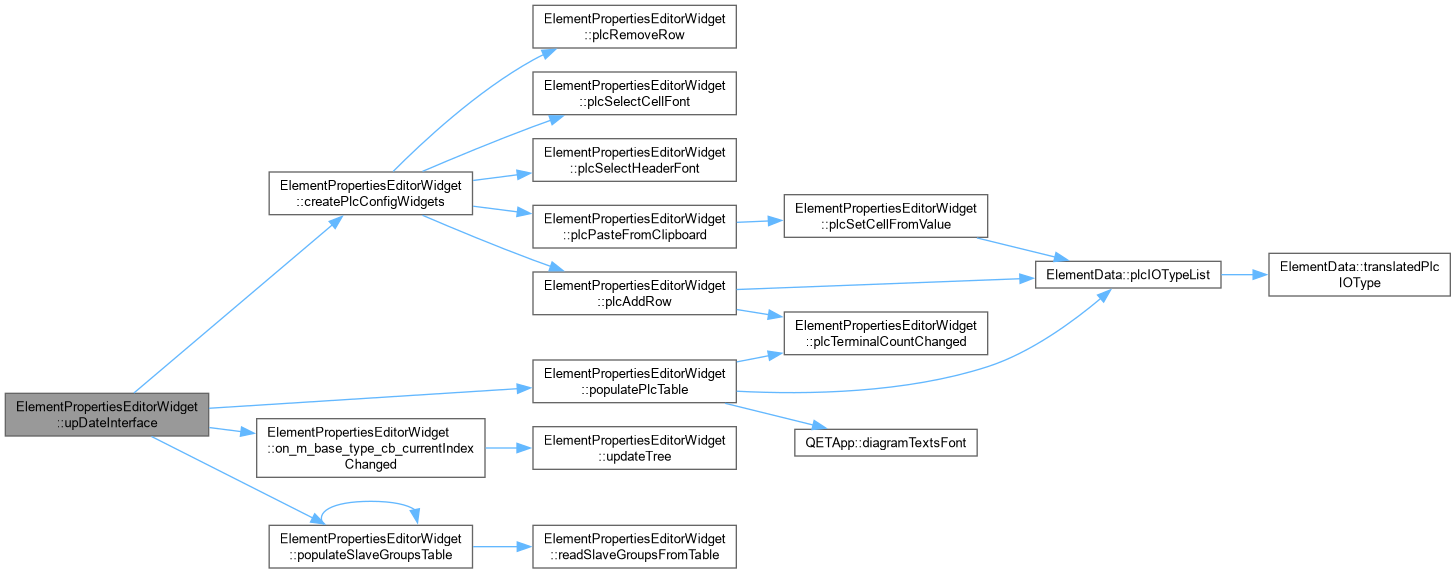
◆ upDateInterface()

void ElementPropertiesEditorWidget::upDateInterface ( )
private

ElementPropertiesEditorWidget::upDateInterface Update the interface with the current value.

Here is the call graph for this function:
Here is the caller graph for this function:

◆ updateTree()

void ElementPropertiesEditorWidget::updateTree ( )
private
Here is the caller graph for this function:

Member Data Documentation

◆ m_data

ElementData ElementPropertiesEditorWidget::m_data
private

◆ m_plc_break_checkboxes

QCheckBox* ElementPropertiesEditorWidget::m_plc_break_checkboxes[4] = {nullptr, nullptr, nullptr, nullptr}
private

◆ m_plc_break_spinboxes

QSpinBox* ElementPropertiesEditorWidget::m_plc_break_spinboxes[4] = {nullptr, nullptr, nullptr, nullptr}
private

◆ m_plc_cell_font

QFont ElementPropertiesEditorWidget::m_plc_cell_font
private

◆ m_plc_cell_font_btn

QPushButton* ElementPropertiesEditorWidget::m_plc_cell_font_btn = nullptr
private

◆ m_plc_col_name_edits

QList<QLineEdit *> ElementPropertiesEditorWidget::m_plc_col_name_edits
private

◆ m_plc_col_visibility_checkboxes

QList<QCheckBox *> ElementPropertiesEditorWidget::m_plc_col_visibility_checkboxes
private

◆ m_plc_col_width_spinboxes

QList<QSpinBox *> ElementPropertiesEditorWidget::m_plc_col_width_spinboxes
private

◆ m_plc_gb

QGroupBox* ElementPropertiesEditorWidget::m_plc_gb = nullptr
private

◆ m_plc_header_font

QFont ElementPropertiesEditorWidget::m_plc_header_font
private

◆ m_plc_header_font_btn

QPushButton* ElementPropertiesEditorWidget::m_plc_header_font_btn = nullptr
private

◆ m_plc_row_height_spinbox

QSpinBox* ElementPropertiesEditorWidget::m_plc_row_height_spinbox = nullptr
private

◆ m_plc_scroll_sync

bool ElementPropertiesEditorWidget::m_plc_scroll_sync = false
private

◆ m_plc_shared_scrollbar

QScrollBar* ElementPropertiesEditorWidget::m_plc_shared_scrollbar = nullptr
private

◆ m_plc_show_headers_cb

QCheckBox* ElementPropertiesEditorWidget::m_plc_show_headers_cb = nullptr
private

◆ m_plc_table

QTableWidget* ElementPropertiesEditorWidget::m_plc_table = nullptr
private

◆ m_plc_terminal_table

QTableWidget* ElementPropertiesEditorWidget::m_plc_terminal_table = nullptr
private

◆ ui

Ui::ElementPropertiesEditorWidget* ElementPropertiesEditorWidget::ui
private

The documentation for this class was generated from the following files: